
In the folder that contains Elmer.Sync.exe, there is a file “appsettings.json” in which there are the configurations for Elmer.Sync.
Region
Region - Advantage - Optional field index
When exporting projects, there are 14 optional fields in the resulting file. To have synchronization of regions for projects, you must configure in Avantage an optional field which will contain the region codes.
Go to “Operator → Company Settings → Other Company Settings”.
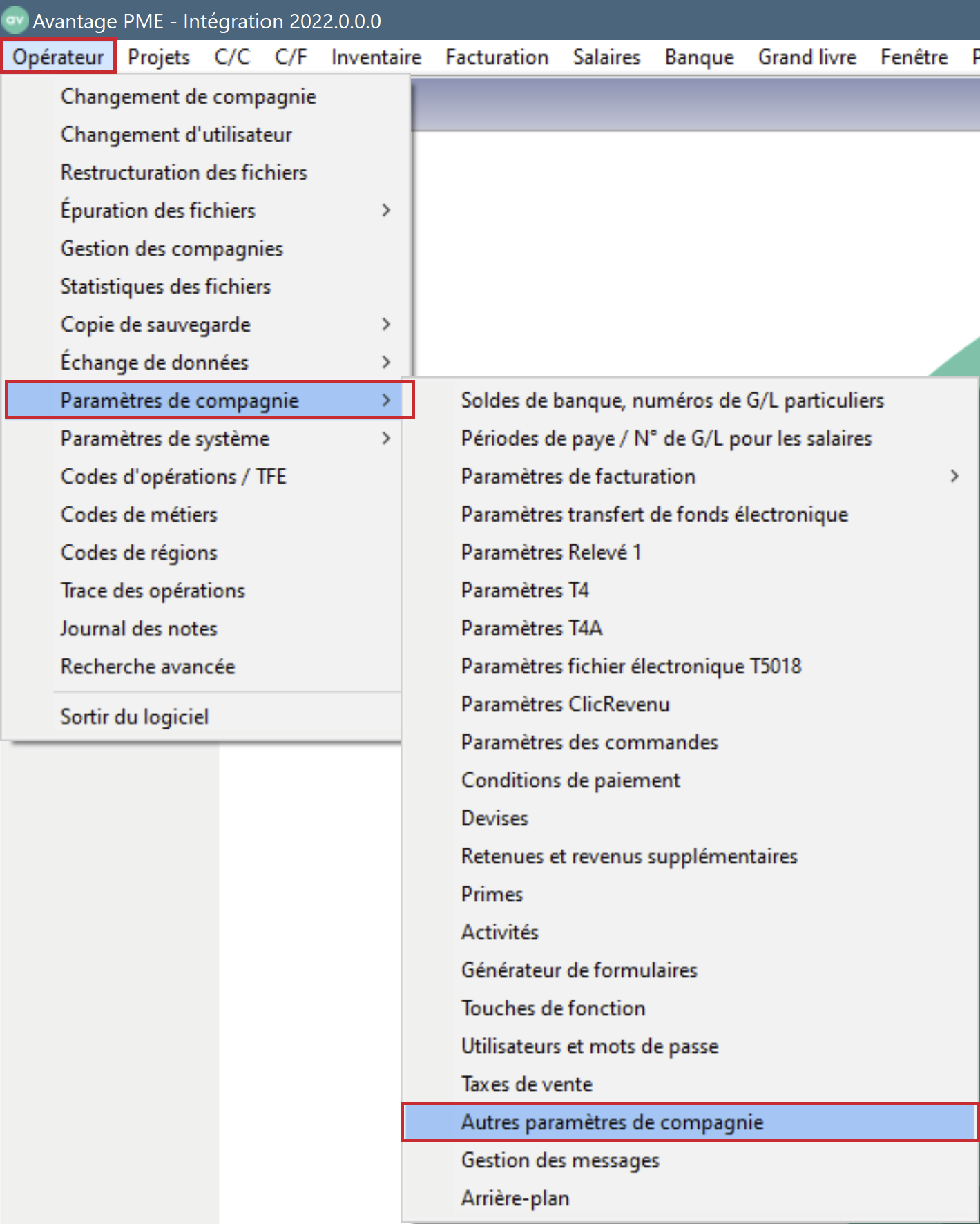
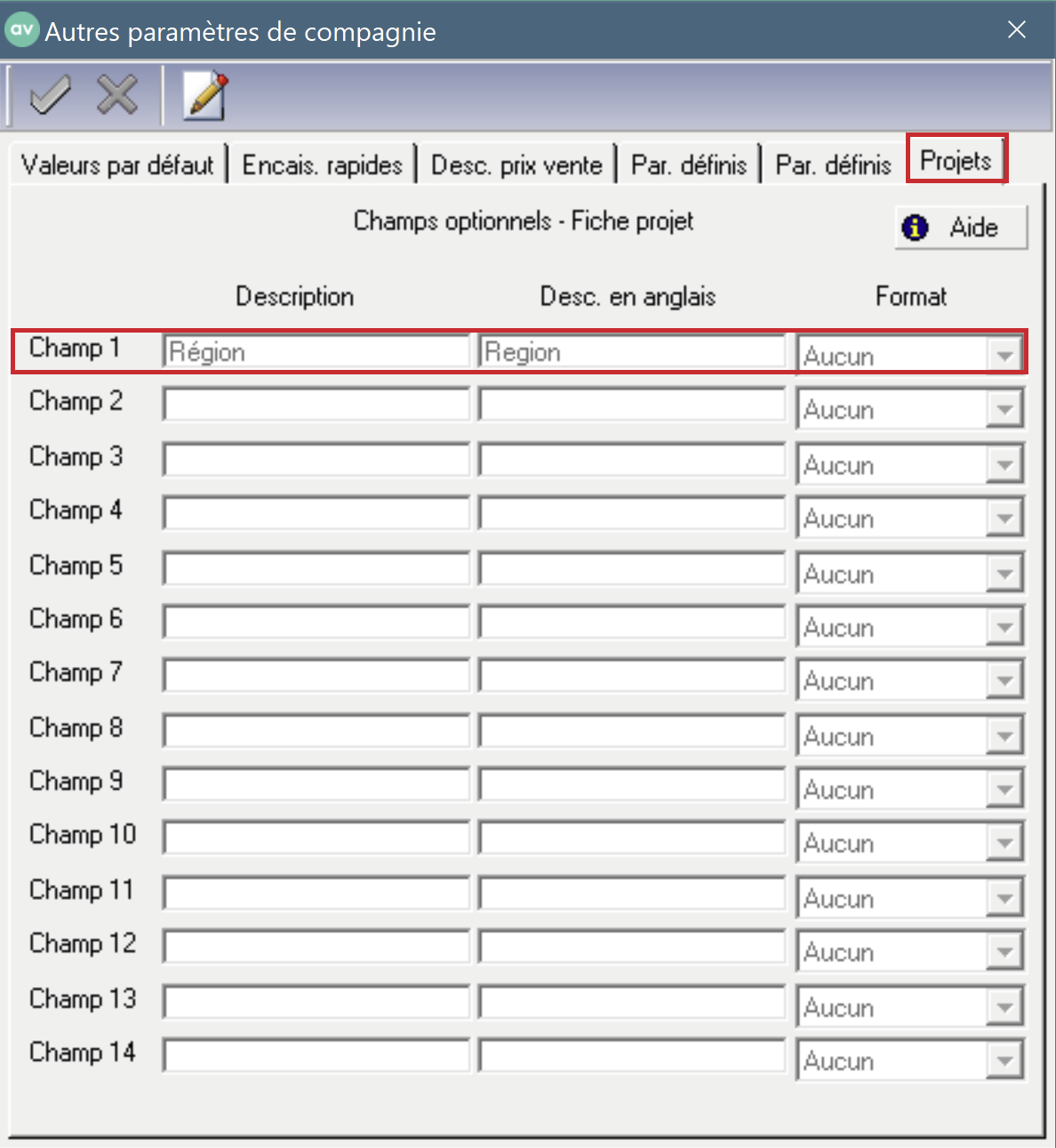
Go to the Projects tab. Fill in one of the fields and keep in mind the number of the field filled in.
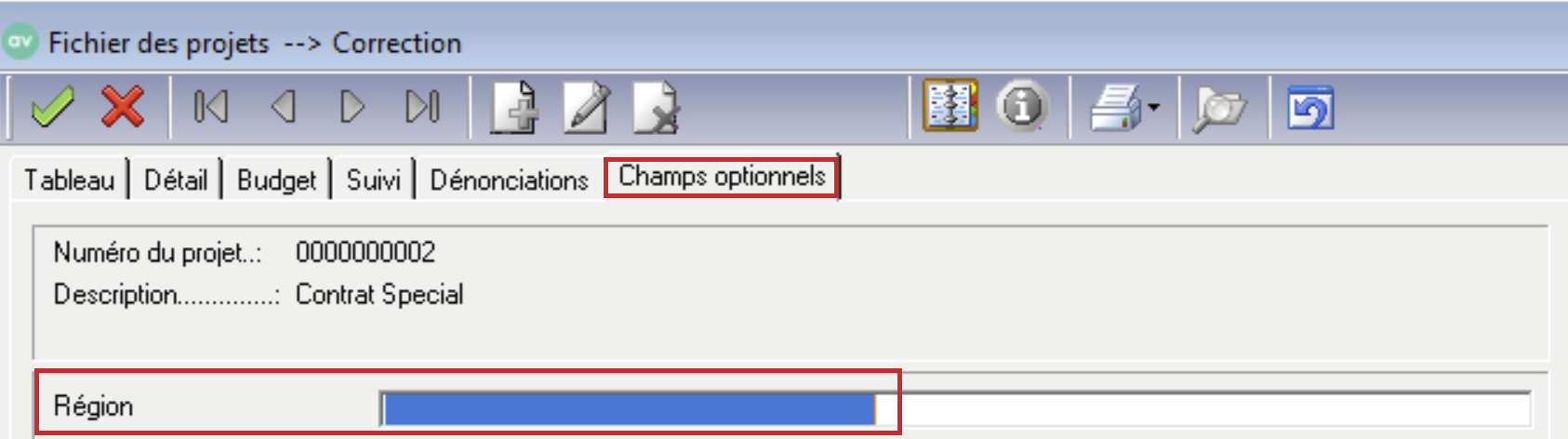
Go to a project file, in the ''Optional fields'' tab.
In the “appsettings.json” configuration file, modify the value of the “RegionOptionalField” field to the number of the field previously filled in.
{
  "Avantage": {
    "Projects": {
      "RegionOptionalField": "1"
    }
  }
}
Region - Configuring Regions
To see the possible values in Cactusoft Construction, go to General Settings.
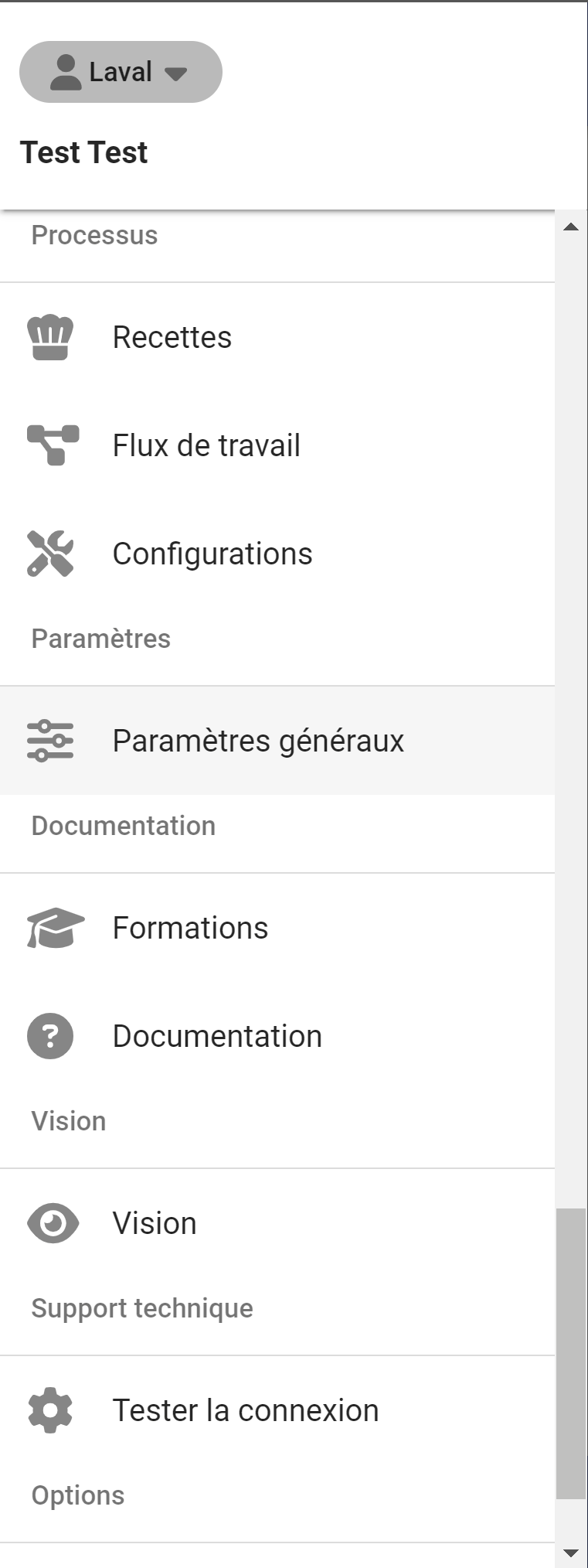
Then go to custom fields

Click on the custom field used for the region.
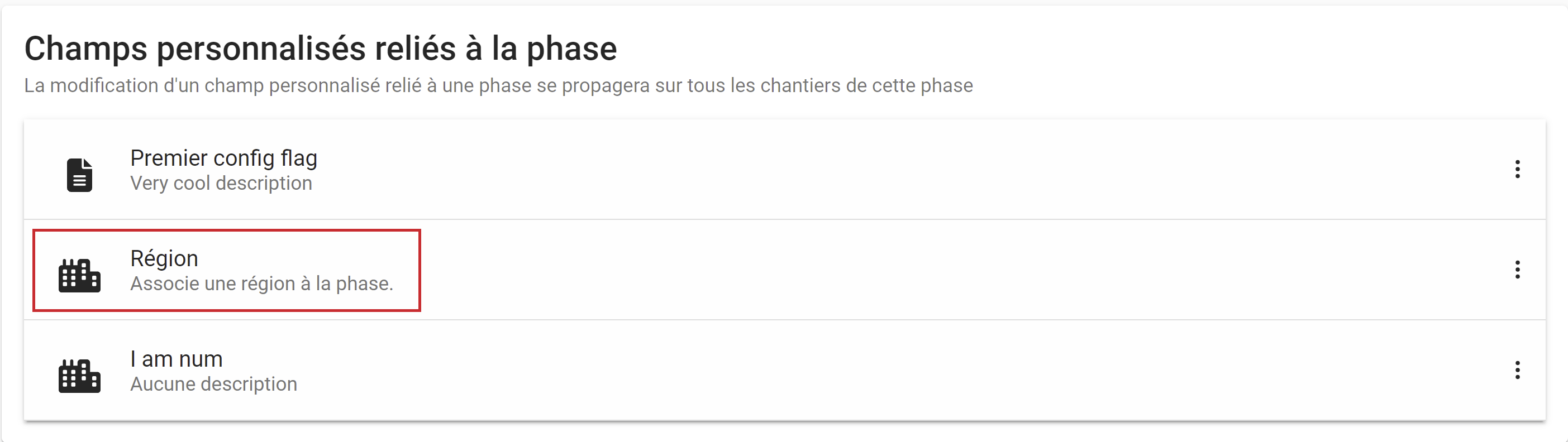
We can see the possible values.
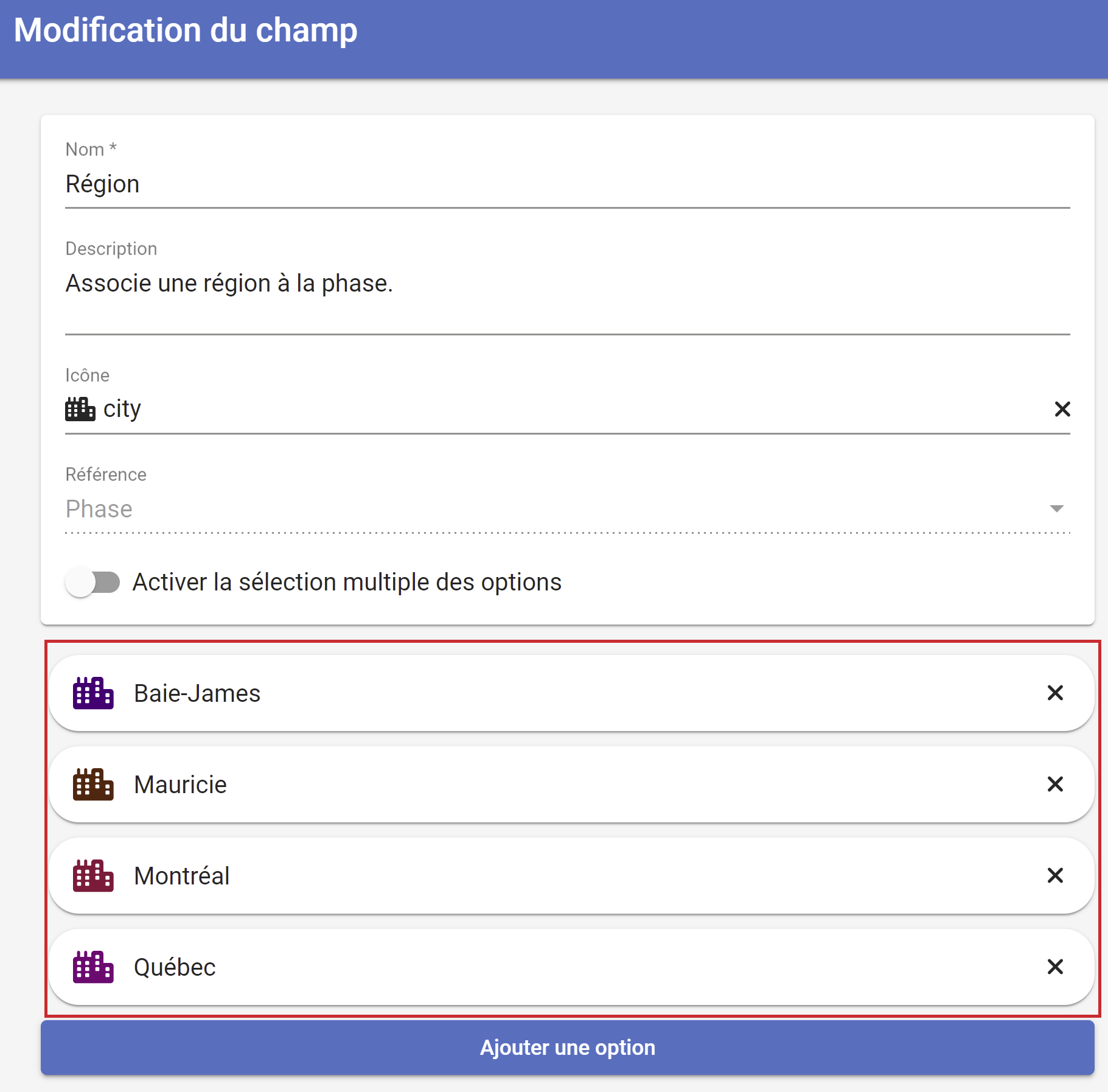
For each possible value entered in the optional “Region” field in Avantage, you must associate the value with that used in Cactusoft Construction. Example, if in Avantage, I use the codes 01-02-03-04 for the regions and I want to make the following association in Cactusoft Construction:
01 → Mauricie
02 → Quebec
03 → Baie-James
04 → Montreal
I need to modify the “appsettings.json” file as follows:
{
  "Avantage": {
    "Projects": {
      "RegionMapping": {
        "Mauricie": "01",
        "Québec": "02",
        "Baie-James": "03",
        "Montréal": "04"
      }
    }
  }
}